Teltonika Networks Hardware From a UK Diamond Distributor
Teltonika Networks is a Lithuanian manufacturer of industrial cellular routers, gateways, and switches, used across IoT, transport, energy, security, and industrial automation deployments worldwide. Their hardware is engineered for the operational environments where consumer broadband routers fail: outdoor cabinets, plant rooms, transport infrastructure, unmanned sites, and industrial control settings where uptime is non-negotiable.
Millbeck is a Teltonika Networks Diamond Distributor in the UK, holding extensive stock for fast UK delivery and providing the pre-sales, configuration, and post-deployment support that turns Teltonika hardware into working industrial connectivity.
In short: Millbeck supplies the full Teltonika Networks product range across RUT, RUTC, RUTM, RUTX, TRB, TSW, OTD, ATRM, and accessories. We hold extensive UK stock for next-day delivery, provide pre-sales technical guidance, configure devices with customer-specific RutOS settings, support RMS (Remote Management System) credit and onboarding, and integrate Teltonika hardware with Millbeck’s IoT SIM and antenna products as a complete connectivity stack.
What Diamond Distributor Status Means
Teltonika Networks operates a tiered distributor programme based on annual sales volume, technical certification, and product specialisation. Diamond is the highest tier in the programme, reserved for distributors who combine significant volume with deep technical capability across the full product range.
For UK buyers, sourcing through a Diamond Distributor means three practical things. First, priority access to UK stock, including the latest 5G RedCap RUTC and RUTM series, where supply across other channels can be inconsistent. Second, direct access to certified RutOS configuration, RMS provisioning, and integration support, not a sales-only relationship. Third, a UK-based escalation path into Teltonika’s engineering teams for complex deployments, supply queries, and product roadmap visibility.
The Full Teltonika Networks Product Range
Teltonika’s portfolio extends far beyond the core RUT series. Millbeck stocks and supports the complete range.
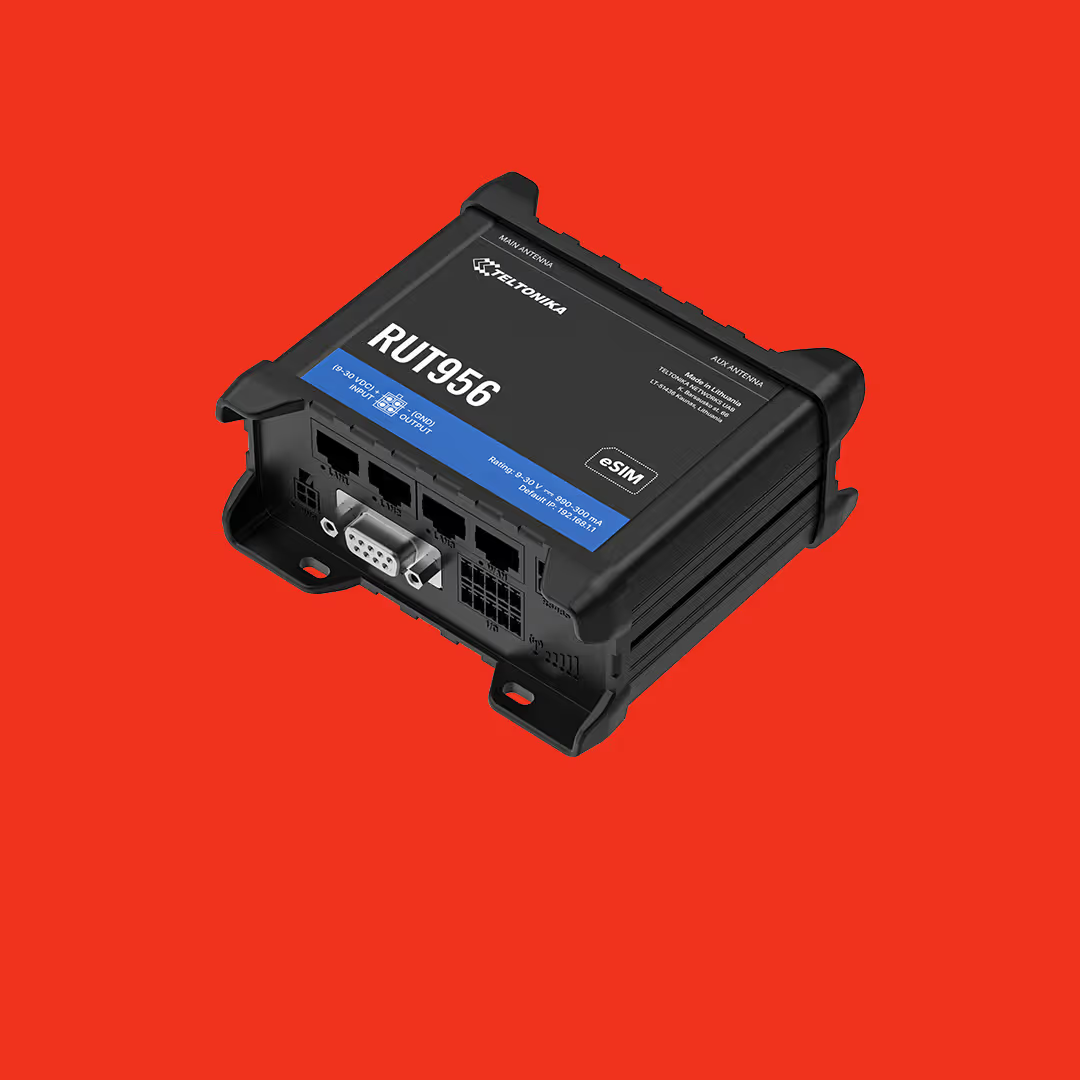
RUT series. The original Teltonika industrial cellular router family, including widely deployed models such as RUT241, RUT956, and RUT901. RUT routers are 4G LTE primarily, with strong UK industrial penetration in remote monitoring, smart buildings, and machine connectivity.
RUTC series. Compact 5G RedCap routers introduced for the new generation of low-latency, lower-cost 5G IoT applications. RUTC sits between traditional 4G IoT and full 5G, and is becoming the default specification for new industrial deployments where 5G is available. Featuring models such as RUTC50 and RUTC40.
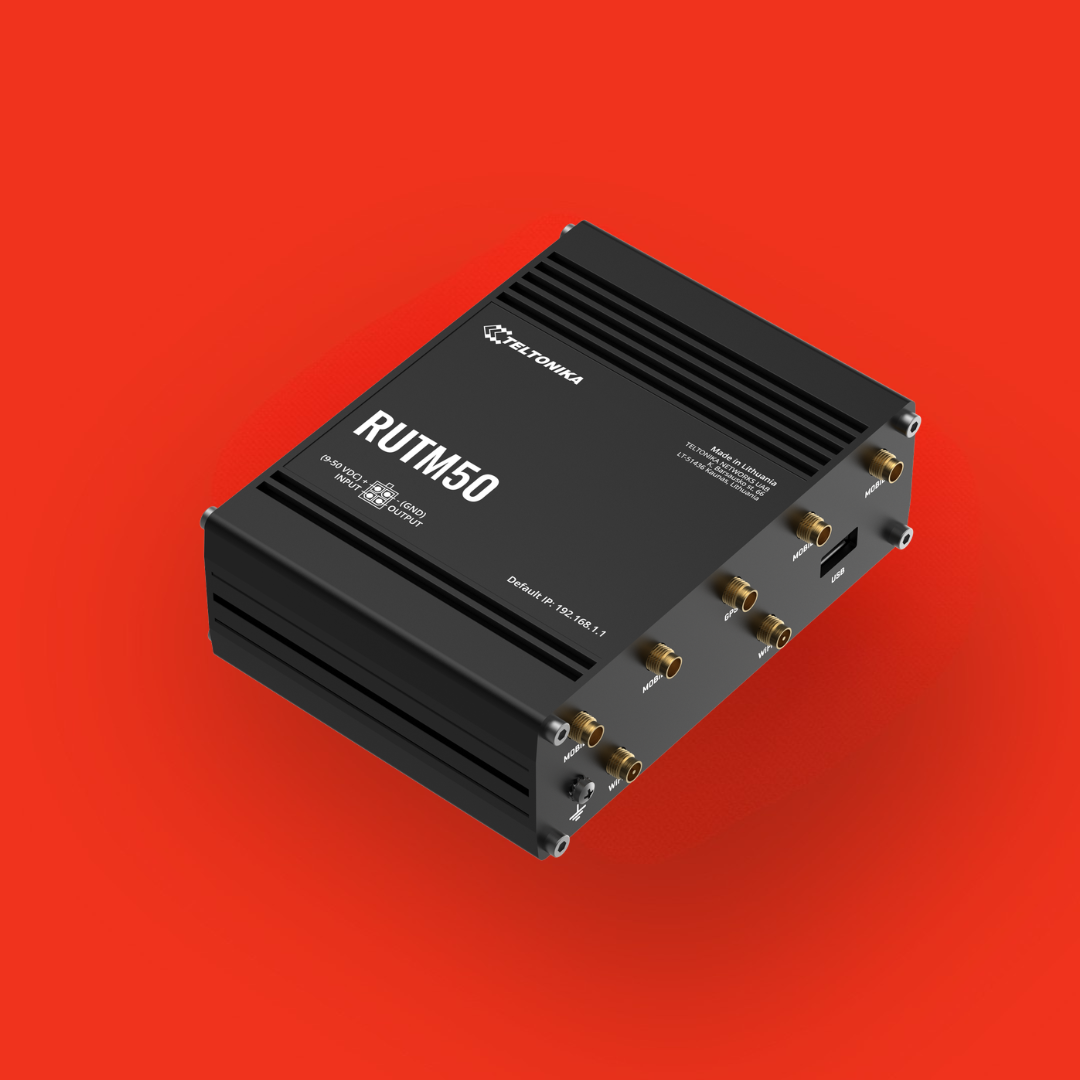
RUTM series. Functionally equivalent to the more established RUTX series, with alternative processor hardware. RUTM offers the same performance profile with different supply chain origins, providing supply continuity for projects where chip-level provenance matters.
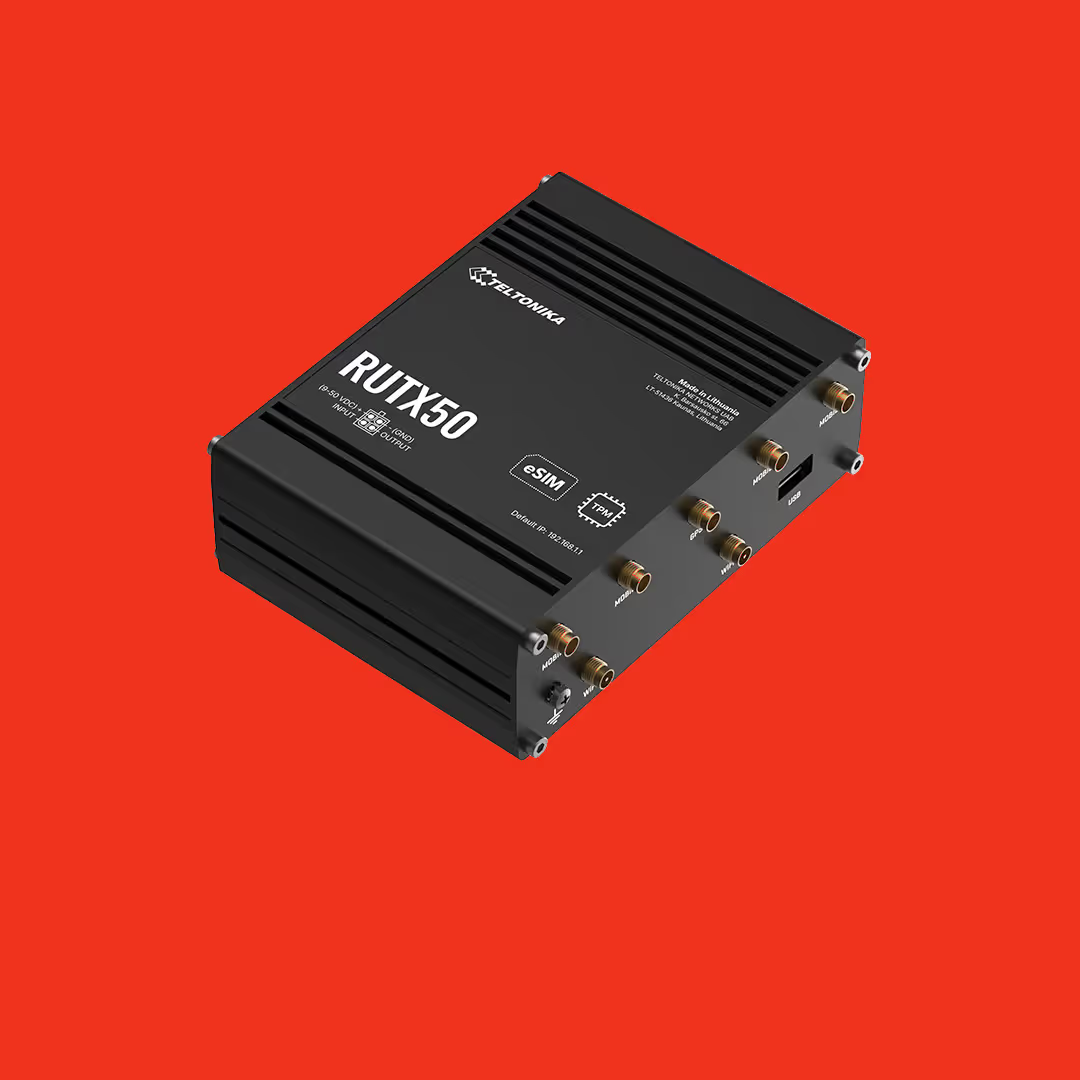
RUTX series. Advanced industrial routers with 4G/5G cellular, dual-SIM, GNSS, Wi-Fi 5 or 6, multiple Ethernet ports, and extended environmental tolerances. RUTX is the typical choice for higher-throughput industrial connectivity, edge computing, and multi-network resilience scenarios. See the RUTX11, RUTX12 and RUTX50.
TRB gateways. Compact M2M gateways for embedded and OEM applications. TRB units are smaller and more cost-efficient than full router-class hardware, suitable for sensor backhaul, retrofit connectivity, and embedded integrations. The TRB140, TRB256 and TRB501 are popular lines in the TRB range.
TSW switches. Industrial Ethernet switches in managed and unmanaged variants, designed for the same environmental tolerances as the cellular product range. TSW industrial switches, such as the TSW101 and TSW202 provide the LAN layer in deployments where consumer-grade switches would fail.
OTD outdoor routers. Outdoor-rated cellular routers for installations where the connectivity device sits outside a cabinet or enclosure, the OTD144 is IP-rated for direct outdoor mounting.
ATRM transport routers. Purpose-built for vehicle and transport applications, including buses, rail, and specialist fleet vehicles. ATRM models, ATRM50, include the certifications required for transport deployment (EN 45545-2 fire safety, EN 50155 railway environment).
Accessories. Antennas, mounts, power supplies, DIN-rail kits, and SIM card management hardware that complete a Teltonika deployment. Millbeck pairs Teltonika hardware with leading antenna manufacturers for leading cellular technology, from Panorama, Poynting, Fullband, and 2J Antennas.
For specific product recommendations by application, our team can match the right Teltonika hardware to your deployment requirements.
RutOS, the Unified Operating System Across Teltonika Hardware
RutOS is Teltonika’s industrial router operating system, running across the full router and gateway product range. The same operating system runs on a compact RUT200 as on a high-performance RUTX12, which means engineering teams that learn RutOS once can deploy and support any Teltonika product family.
RutOS includes the networking and security capabilities required for industrial deployment: IPsec and OpenVPN tunnels, WireGuard support, dual-SIM failover, firewall and routing controls, Modbus and MQTT for industrial protocol bridging, GRE tunnelling, and a comprehensive set of access control and monitoring features.
Because RutOS is developed in-house by Teltonika and updated regularly, hardware deployed today receives ongoing security patches, new feature releases, and protocol support throughout the operational life of the device. For long-life industrial deployments, this firmware support model is a significant differentiator from products that ship with frozen firmware.
RMS, Centralised Remote Management for Teltonika Estates
Teltonika RMS (Remote Management System) is the cloud platform for managing Teltonika devices remotely at scale. RMS provides estate-wide visibility, configuration management, firmware updates over the air, remote troubleshooting, and access to devices behind CGNAT or private IP SIMs.
For operators running multi-site Teltonika estates, the practical impact is significant. Configuration changes propagate without site visits. Firmware updates roll out across the estate from a single console. Remote troubleshooting reaches devices through the RMS path even when traditional remote access (public IP, port forwarding) isn’t available. RMS also supports remote desktop access to non-Teltonika devices connected to the router, extending remote management capability beyond the Teltonika hardware itself.
As a Diamond Distributor, Millbeck supplies RMS credits, supports RMS onboarding for new customers, and can advise on the estate management architecture appropriate for the deployment. For larger fleets, RMS typically pays back within months through reduced site visit costs alone.
Industrial Certifications and Compliance
For specific industrial deployments, Teltonika hardware carries the certifications required for the application.
CE and UKCA marking. All Teltonika routers carry CE marking for European markets and UKCA marking for the UK market, covering electrical safety, electromagnetic compatibility, and radio equipment compliance.
EN 50155 (railway environment). Selected models including the RUTX11 Railway Edition carry EN 50155 certification for use in rolling stock and railway infrastructure. EN 50155 covers vibration, temperature, humidity, and electrical environment requirements specific to railway applications.
EN 45545-2 (railway fire safety). Materials compliance for rolling stock applications, also carried by selected Teltonika railway models.
RoHS and WEEE. Standard environmental compliance for electronic equipment, applicable across the product range.
Sector-specific certifications. Specific Teltonika products carry additional certifications relevant to their target deployment (automotive E-Mark for vehicle-mounted devices, marine certifications for offshore applications, hazardous area certifications for specific industrial environments).
For deployments with specific certification requirements, Millbeck can confirm the exact certification status of each model and advise on alternative products if the primary choice doesn’t carry the required marking.
Combining Teltonika Hardware With Millbeck Connectivity
Industrial connectivity rarely consists of hardware alone. A complete deployment typically requires the router or gateway, IoT SIM connectivity, antennas suited to the installation environment, and the management platform that ties the estate together.
Millbeck supplies all four elements as a coordinated stack. Teltonika hardware as the connectivity device. Millbeck IoT SIMs (UK roaming, global roaming, eSIM, or eUICC) as the cellular service. Antennas from partners including Panorama, Poynting, Fullband, and 2J selected for the specific RF conditions of each installation. The Millbeck SIM management platform alongside Teltonika RMS for centralised estate visibility.
The benefit of supplying the full stack is practical: every component is tested for compatibility, configuration is provided pre-deployment, and a single supplier supports the deployment through procurement, installation, and operational life. Customers running mixed-vendor stacks can still buy Teltonika hardware from Millbeck on its own; the integrated approach is available for those who want it.
Frequently Asked Questions
What Is a Teltonika Diamond Distributor?
A Teltonika Diamond Distributor is the highest tier in Teltonika Networks’ partner programme, awarded to distributors with significant annual volume, certified technical capability across the full product range, and direct integration with Teltonika’s engineering and supply chain. Diamond status gives the distributor priority access to UK stock, the latest products, and Teltonika’s engineering escalation channels.
What Teltonika Products Does Millbeck Supply?
Millbeck supplies the full Teltonika Networks range: RUT, RUTC, RUTM, RUTX cellular routers; TRB M2M gateways; TSW industrial Ethernet switches; OTD outdoor routers; ATRM transport routers; and the full accessories range including antennas, power supplies, and mounting hardware. We hold extensive UK stock for fast delivery, with technical guidance available to match the right hardware to each deployment.
What Is RutOS?
RutOS is the operating system that runs on Teltonika’s industrial routers and gateways. It’s developed in-house by Teltonika and provides networking, security, and management features including IPsec and OpenVPN tunnels, WireGuard support, dual-SIM failover, Modbus and MQTT industrial protocols, and firewall and access control. The same operating system runs across the full router product range, simplifying deployment and support for engineering teams.
What Is Teltonika RMS?
Teltonika RMS (Remote Management System) is the cloud platform for managing Teltonika devices remotely. It supports configuration changes, firmware updates over the air, remote troubleshooting, and access to devices behind CGNAT or private IP SIMs. For operators running multi-site estates, RMS replaces site visits with remote management, typically paying back its cost in reduced operational expense.
Are Teltonika Routers Suitable for Railway and Transport Applications?
Yes. Selected Teltonika models (including the RUTX11 Railway Edition and the ATRM series) carry EN 50155 certification for rolling stock and railway infrastructure, and EN 45545-2 for railway fire safety. Other models in the range carry automotive E-Mark certification for vehicle deployment. For specific railway, automotive, or transport projects, Millbeck can confirm exact certification status and advise on the right model.
Does Millbeck Provide Pre-Configuration of Teltonika Hardware?
Yes. As a Diamond Distributor, we can configure Teltonika devices with customer-specific RutOS settings, IoT SIM provisioning, RMS enrolment, and any required APN, VPN, or firewall configuration before despatch. Pre-configuration removes the field setup step from the deployment, accelerating rollouts and reducing the risk of misconfiguration in the field.
How Does Millbeck’s Teltonika Offering Compare to Buying Direct?
Teltonika Networks sells through authorised distributor partners rather than directly to most end customers, so for the majority of UK buyers Millbeck (or another authorised distributor) is the route to Teltonika hardware. The advantage of buying through a Diamond Distributor is the combined hardware, configuration, IoT SIM connectivity, antenna, and ongoing support relationship. Customers buying hardware-only from Millbeck still benefit from the priority stock and technical access that Diamond status provides.
This is some text inside of a div block.
-min.webp)



.avif)


%20logo.avif)
.png)













.png)
.png)